 Digitnomics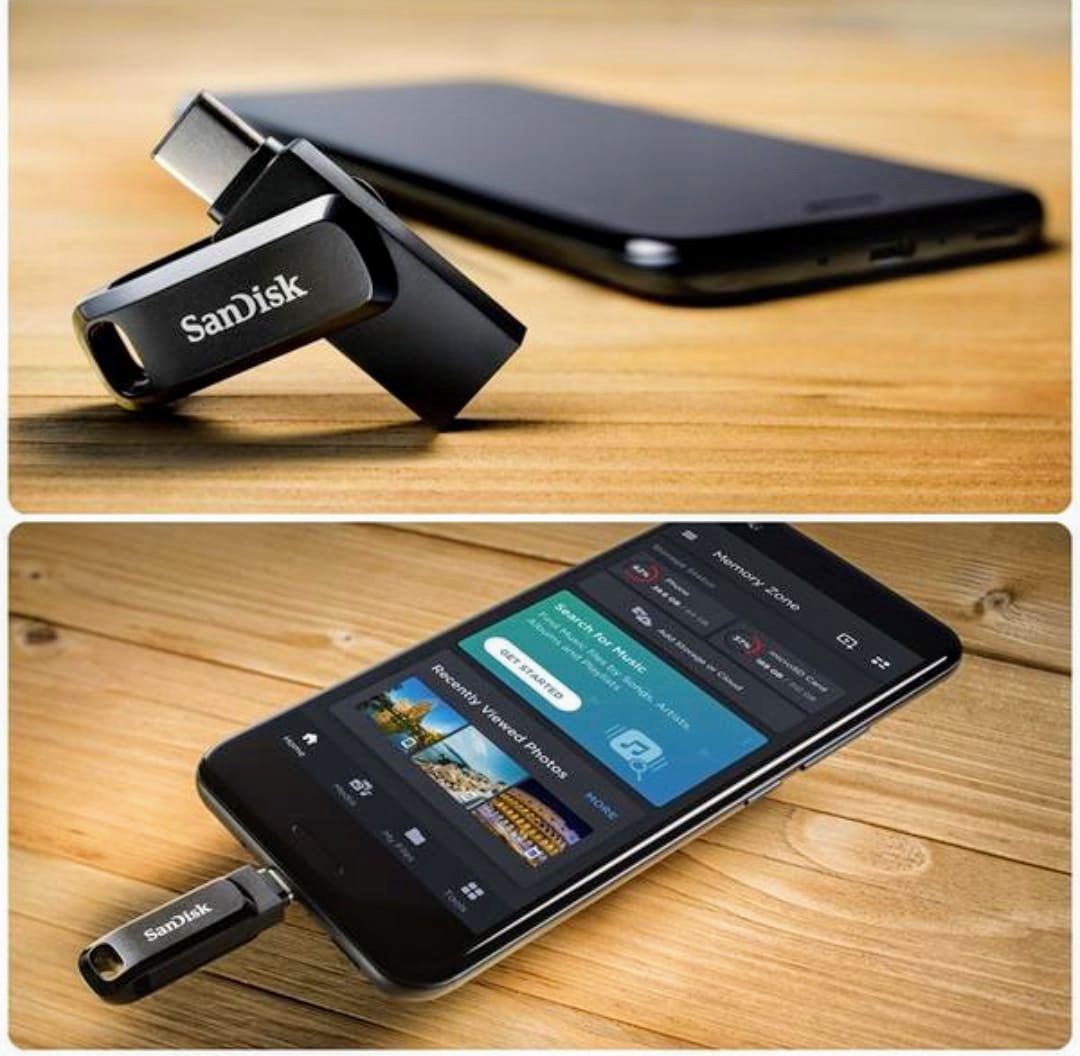
Your Android phone can have 128GB, 256GB or even 512GB of storage, yet somehow you can still run out of space.
Photos and videos are usually the obvious culprits, but they are not the only ones. WhatsApp media, downloaded movies, documents, voice notes, screenshots and files from social media apps can quietly consume gigabytes of storage.
Deleting files you may need later is one solution. Paying for additional cloud storage is another.
But there is a third option that many Android users overlook: external storage.
A portable SSD or USB flash drive can allow you to move large files away from your phone while keeping them accessible whenever you need them.
Here are four external storage options worth considering.
- Samsung Portable SSD T7
If you regularly work with large files, a portable SSD is a better option than a conventional flash drive.
The Samsung Portable SSD T7 is available in capacities including 1TB and is small enough to carry in a pocket or bag. It uses USB 3.2 Gen 2 connectivity, making it suitable for moving large photos, videos and other files quickly.
For content creators who record a lot of high-resolution video on their phones, the extra storage can be particularly useful.
The T7 also includes hardware-based AES 256-bit encryption, giving users an additional layer of protection for sensitive files.
Its compact design makes it useful for people who need to carry large amounts of data without carrying a bulky hard drive.
Best for: Content creators, professionals and users handling large files.
- SanDisk Ultra Dual Drive
If you want something smaller and simpler, the SanDisk Ultra Dual Drive is worth considering.
Its biggest advantage is its dual-connector design, which provides USB Type-C and USB Type-A connectivity. This means you can use the drive with compatible Android phones while also connecting it to many computers without carrying a separate adapter.
Depending on the model and capacity, storage options extend from smaller capacities to hundreds of gigabytes.
Some versions can reach read speeds of up to 150MB/s, although actual transfer speeds depend on the device, connection and type of files being transferred.
For Android users, SanDisk’s Memory Zone app can also help manage files and move content between the phone and the external drive.
Best for: Everyday users who want a small, convenient storage solution.
- Samsung Type-C USB Flash Drive
For Android phones with USB-C ports, a Type-C flash drive can be one of the simplest ways to expand your storage temporarily.
Samsung’s Type-C USB Flash Drive is designed to connect directly to compatible devices without requiring a separate cable.
The drive is available in different storage capacities and is designed for transferring files such as photos, videos and documents between smartphones, tablets and computers.
Samsung advertises sequential read speeds of up to 400MB/s for the drive, although real-world performance can vary depending on the device and usage conditions.
Its small size is another advantage. You can keep it in a pocket, handbag or laptop bag and use it whenever your phone starts running low on storage.
Best for: Android users who want fast, compact plug-and-play storage.
- iDiskk 4-in-1 Flash Drive
If you regularly move files between different types of devices, a multi-connector flash drive can save you from carrying several adapters.
The iDiskk 4-in-1 drive is designed with multiple connectors, including USB, USB-C and Micro USB, with some versions also supporting Lightning devices.
That makes it potentially useful for people who work across smartphones, tablets and computers with different connection standards.
The device uses USB 3.0 for file transfers and is designed to work with an accompanying app for managing files. Depending on the version and device, the app can also provide additional security features.
However, users should check the exact model and connector configuration before buying, particularly because smartphone ports and operating-system compatibility can vary.
Best for: People who regularly transfer files between different devices.
Which one should you choose?
You don’t necessarily need the most expensive option.
If you mainly want to move photos and WhatsApp videos off your phone, a USB-C flash drive may be enough.
If you are a content creator dealing with large video files, a portable SSD such as the Samsung T7 makes more sense because of its larger capacity and faster performance.
And if you frequently switch between different devices, a multi-connector drive can offer greater flexibility.
One important thing to remember: your Android phone must support USB OTG (On-The-Go) or the relevant external-storage feature for a USB drive to work directly with it. You should also check the phone manufacturer’s specifications before buying.
Before you buy external storage
Don’t choose a drive based only on its advertised storage capacity.
Check:
- Whether your phone supports USB OTG
- Whether the drive uses USB-C, USB-A or another connector
- The advertised read/write speeds
- The storage capacity you actually need
- Whether the accompanying app supports your Android version
- Whether you need encryption or password protection
- Whether you will use the drive primarily with a phone, computer or multiple devices
External storage won’t make your phone’s internal storage physically larger.
What it can do is give you somewhere else to keep your growing collection of photos, videos and files — allowing you to free up your phone without immediately deleting things you may want later.
For many Android users, that could be a much cheaper and simpler solution than constantly fighting the “Storage Almost Full” notification.
Digitnomics is a technology and economy publication covering the devices, businesses, innovations and digital trends shaping Africa’s technology ecosystem.