 Digitnomics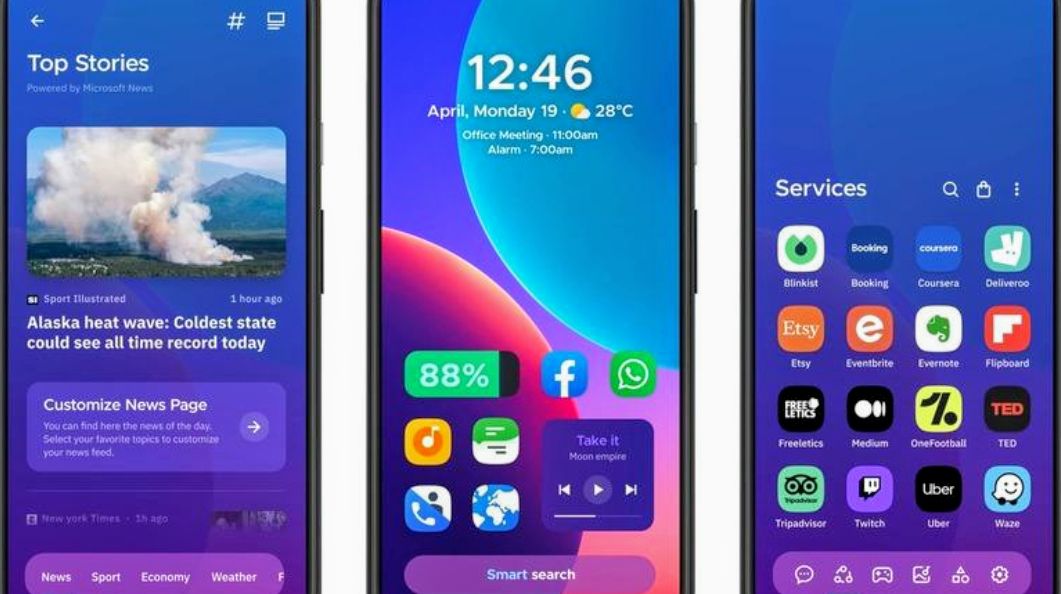
Android smartphones already give users plenty of ways to customise their devices, but the default launcher can still feel restrictive.
Depending on the phone, users may be limited in how they arrange apps, customise icons, manage widgets or interact with the app drawer.
That is where third-party Android launchers come in.
A launcher essentially controls how your phone’s home screen, app drawer, icons, widgets and other interface elements look and behave. Changing it can give an older smartphone a completely different feel without changing the device itself.
With hundreds of launchers available, however, choosing one can be difficult. Some offer extensive customisation, while others focus on simplicity, privacy or productivity.
Here are five Android launchers worth considering in 2026.
- Smart Launcher 6
Smart Launcher 6 takes a different approach to organising Android apps.
Instead of leaving users with a completely blank grid to organise themselves, the launcher can automatically categorise installed apps. Games, communication apps, productivity tools and other applications can be grouped, making them easier to find.
The launcher also offers several customisation options, including fonts, icons, widgets, home-screen layouts and a customisable dock.
One of its notable features is its ability to adapt elements of the interface to the colours in a user’s wallpaper, helping create a more consistent look.
Smart Launcher 6 also includes an integrated news reader with RSS support, allowing users to access headlines directly from their home screen.
For people who want customisation without spending a lot of time manually organising their phones, Smart Launcher 6 is one of the more interesting options.
- Niagara Launcher
Niagara Launcher is designed for people who prefer a cleaner and less cluttered smartphone interface.
Rather than displaying numerous app icons across multiple home-screen pages, Niagara presents applications in a streamlined list. Users can quickly scroll through the alphabetical list and access apps with one hand.
That design can be particularly useful on larger smartphones, where reaching icons at the top of a traditional home screen can be inconvenient.
Niagara also supports widgets, custom icons, fonts, gestures and different visual themes.
Another advantage is its relatively minimalist approach. The launcher is designed to keep distractions away from the home screen while still giving users control over the interface.
It can also work well on foldable phones because its list-based design does not depend heavily on a fixed grid.
- Octopi Launcher
Octopi Launcher is aimed at Android users who want to experiment with a less conventional home-screen experience.
Instead of relying entirely on traditional folders, it allows users to organise apps using tags. It also supports widget stacks and gives users the option of having widgets float over the home screen.
One particularly useful feature is its support for different layouts depending on how a device is being used.
Users can create separate arrangements for portrait and landscape orientations. Foldable-phone owners can also configure different layouts for the outer and inner displays.
The launcher offers additional controls for hiding interface elements such as navigation and status bars, while reachability options can make accessing apps easier.
For users who own foldable devices or simply want more control over how their home screen behaves, Octopi Launcher is worth exploring.
- Lawnchair
Lawnchair is a strong option for Android users who like the clean interface associated with Google’s Pixel smartphones but do not own a Pixel.
The launcher aims to recreate the Pixel-style experience while giving users additional customisation options.
It supports features such as Material You-style theming, custom icons and widgets, while allowing users to personalise elements that are more restricted on Google’s default launcher.
Another major attraction is that Lawnchair is open source. Its development is community-driven, and users can follow the project’s development through its public code repository.
It also does not require root access for its core experience, making it accessible to ordinary Android users who simply want to change the appearance of their phones.
For anyone looking for a clean, Pixel-inspired interface without buying a Pixel smartphone, Lawnchair is an option to consider.
- Kvaesitso
Kvaesitso takes perhaps the most unusual approach on this list.
Instead of making the app drawer the centre of the experience, the launcher puts search at the heart of the interface.
Users can search for applications, contacts, calculations, calendar entries and other information directly from the launcher.
That approach can make sense for people who have dozens or even hundreds of applications installed and would rather search for what they need than scroll through multiple pages of icons.
Kvaesitso is also open source and focuses heavily on privacy and efficiency. It does not rely on Google Play services and is designed to keep background resource usage relatively low.
However, users who enjoy elaborate home screens packed with icons, widgets and decorative elements may find its minimalist approach less appealing.
Which Android launcher should you choose?
The best launcher ultimately depends on what you want from your smartphone.
Smart Launcher 6 is a good choice if automatic app organisation and customisation are important to you.
Niagara Launcher is worth considering if you want a minimalist interface that is easy to operate with one hand.
Octopi Launcher stands out for users who want unusual layouts, extensive control and better support for foldable devices.
Lawnchair is a strong option for people who want a Pixel-inspired Android experience without switching to a Google Pixel phone.
Kvaesitso is better suited to users who prioritise search, productivity, privacy and a minimalist interface.
The good thing about Android is that you are not necessarily stuck with the interface that came with your smartphone. A launcher can completely change the way you interact with your device without requiring you to buy a new phone.
Before installing one, however, check its permissions, developer activity, update history and user reviews. A launcher has significant control over the smartphone’s interface, so choosing one that is actively maintained and trustworthy is important.
Digitnomics Take: Sometimes, your phone may not need an upgrade. It may simply need a better way to work for you.