 Digitnomics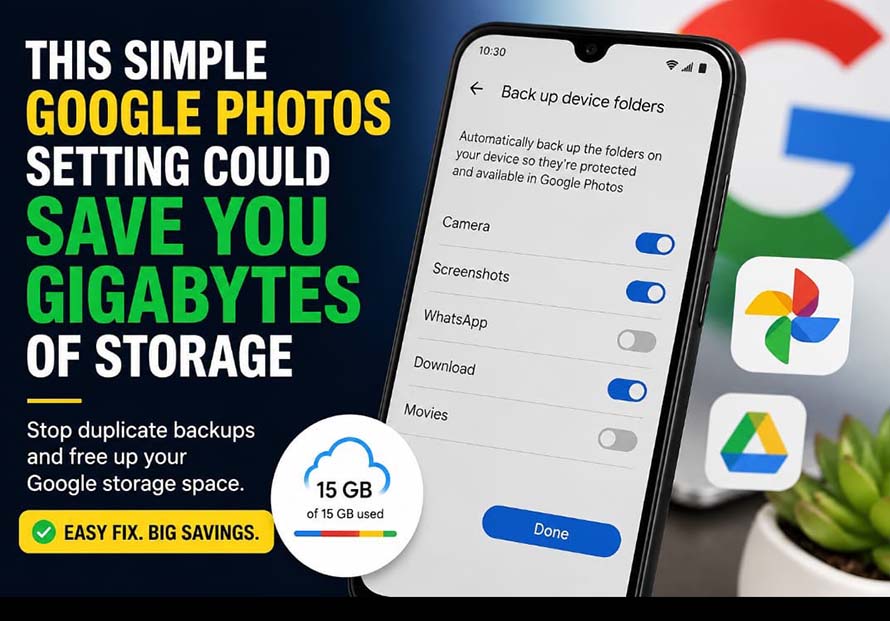
By Nonye Ngoka
Android users looking to free up valuable Google storage space may not need to delete old files or pay for additional cloud storage. A simple settings adjustment could prevent duplicate backups and save several gigabytes of space.
The issue affects many WhatsApp users who unknowingly store the same photos and videos twice in their Google account.
Why your storage fills up faster
WhatsApp automatically saves photos and videos you receive to folders on your Android device. If Google Photos is also configured to back up those folders, the media gets uploaded to your Google Photos library.
At the same time, WhatsApp may already be backing up your chats and media separately to Google Drive.
The result is duplicated files occupying valuable cloud storage, causing users to reach Google’s free storage limit much sooner than expected.
A simple fix
Rather than disabling WhatsApp backups entirely, experts recommend preventing Google Photos from backing up WhatsApp folders.
Users can do this by opening the Google Photos app, navigating to Photos Settings > Backup > Back up device folders, and turning off backup for WhatsApp folders.
This allows WhatsApp to continue protecting chats while avoiding unnecessary duplicate uploads.
More ways to reduce backup size
Users can also optimise WhatsApp backups by changing how often backups occur or excluding videos, which typically consume the largest amount of storage.
Deleting outdated WhatsApp backups that are no longer needed can also help recover cloud space.
Why it matters
Google provides a limited amount of free cloud storage that’s shared across Gmail, Google Photos, Google Drive, and Android device backups. Once that storage is exhausted, users must either purchase additional space or free up storage.
Making small adjustments to backup settings can help users keep more of their free storage while avoiding duplicate files.
For Android users who rely heavily on WhatsApp, reviewing these settings could make a noticeable difference in how quickly their Google storage fills up.